Archive and knowledge
Find it the first time.
Documents, PDFs, emails, photos and recordings, all in one archive. Search by the words inside them, or by person, place or date.
- ResolutionBCR 1998-021 · Spruce River land claimPDF · the match is on page 3
- StoryElder interview, 2019“…we fished the Spruce River every spring…” · 12:40 in
- EmailSpecific claim update from the Tribunal2015 · still here after the person left
You check the shared drive, a filing cabinet and three people's inboxes.
But only inside the PDF. You can't search across all of them.
Hours of recordings, and no way to find the part you need.
Search inside everything
Search reads PDFs, Word files, spreadsheets, notes, emails and transcripts. Each result shows the line that matched.
- A match inside a recording shows the time, so you can jump straight to it.
- See the same results as a list, on a map or on a timeline.
- Save a search you use often, like "Treaty 6 correspondence", and come back to it.
- Scanned letterLetter about annuity arrears, 1962Scanned PDF · match on “annuity”
- ReportTreaty Land Entitlement shortfall calculation, 2004PDF · the match is on page 11
- EmailTreaty annuity payment schedule 2026From ISC (demo) · 3 Sep 2026
Recordings you can search
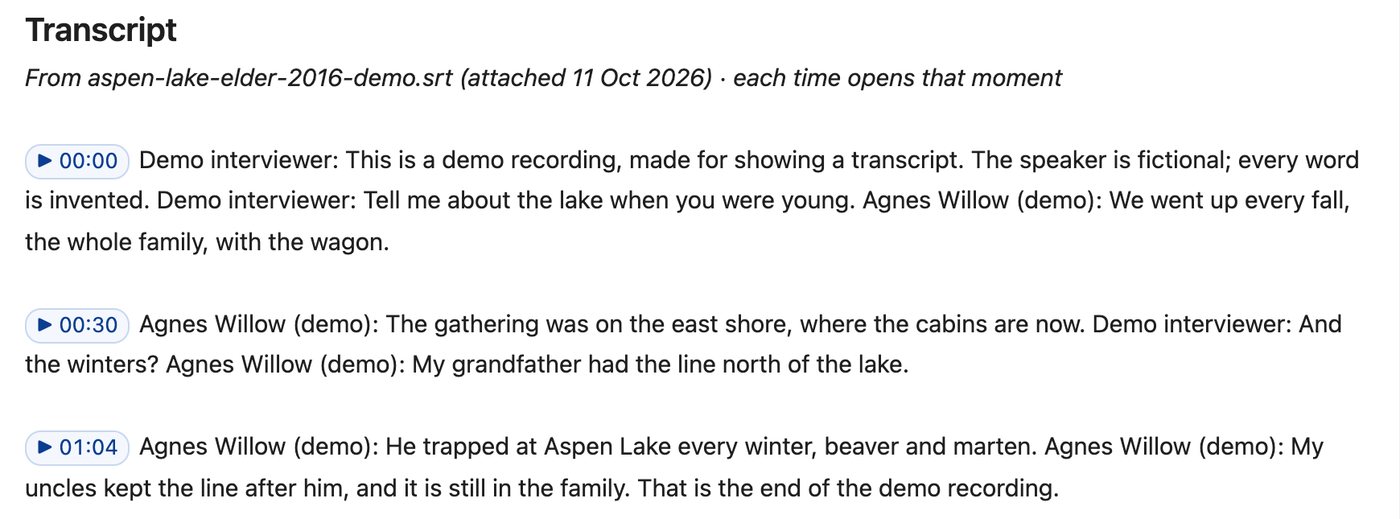
Add a recording and its transcript. Every line has a time. Click a line to jump to that moment in the recording.
When you search, a match in a recording takes you right to that spot. No more listening to two hours of tape to find one story.
Transcripts made by a computer get words wrong, especially Cree, Michif and other languages. A person should check them before they're trusted, and the note says who checked it and when.
People, places and events, linked
Every person, place and event can have its own page. Link them once. After that:
- A person's page shows every interview and event they were part of.
- A place's page shows who was there and what happened.
- Documents that mention them show up too.
This is how you start to answer questions like "Has my mom ever talked about this place?"
Aspen Lake · placeRelated · 11
- Inside the traditional territory · near IR 207
- Traplines T-1, T-2, T-3 (registered 1952, 1974, 1990)
- Stories 4 interviews mention it
- Documents BCR 2019-014 cabin leases · referral 2026-TH-0417
- Who can see all staff · trapline holders' names hidden
Events around a time
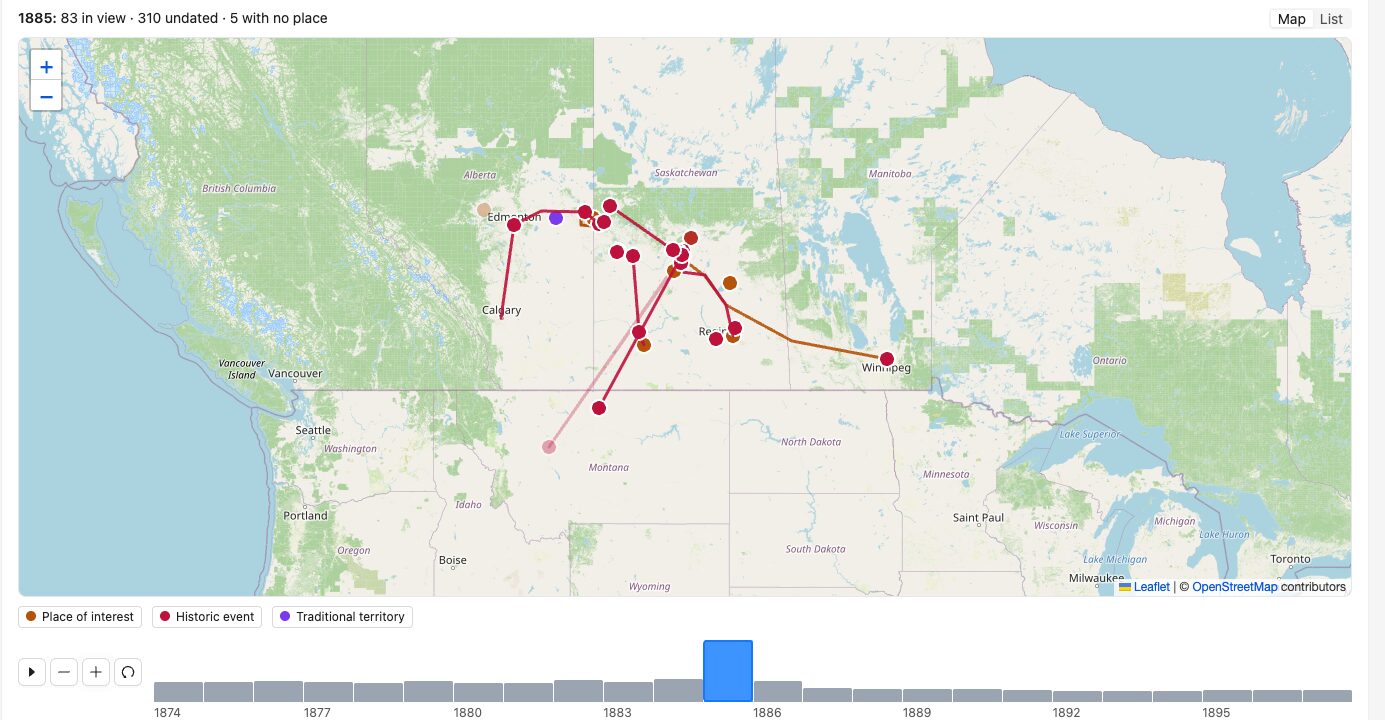
Anything with a place shows on a map. Anything with a date shows on a timeline.
Drag the timeline to a year, like 1885, and the map shows what happened then, and where. Press play to watch it move through the years.
Activity on the land, over time
The same timeline shows how the land has been used: traplines registered, cabins built, harvest blocks approved, fire years. Pick a decade and the map shows it.
Land use over time · Aspen LakeTimeline
- 1952 · trapline T-1 registered
- 1974 · first cabin built on the east shore
- 2003 · fire on the north shore
- 2019 · cabin leases, BCR 2019-014
- 2026 · harvest Block 7 proposed by the Province
Every resolution, findable
Keep a register of Band Council Resolutions, each with its number, date and subject, and the signed PDF attached. Search finds the words inside them.
BCR register
| No. | Passed | Subject |
|---|---|---|
| 1987-006 | 1987 | Hunting rights |
| 1998-021 | 1998 | Spruce River land claim |
| 2019-014 | 12 Mar 2019 | Aspen Lake cabin leases |
| 2021-033 | 8 Jun 2021 | Housing allocation, Lot 14 |
| 2026-007 | 4 Feb 2026 | Funding application, water plant |
Cultural protocols
Not everything is for everyone.
Some knowledge is only for certain people, or certain times of year. The Nation decides, and SovereignD follows it.
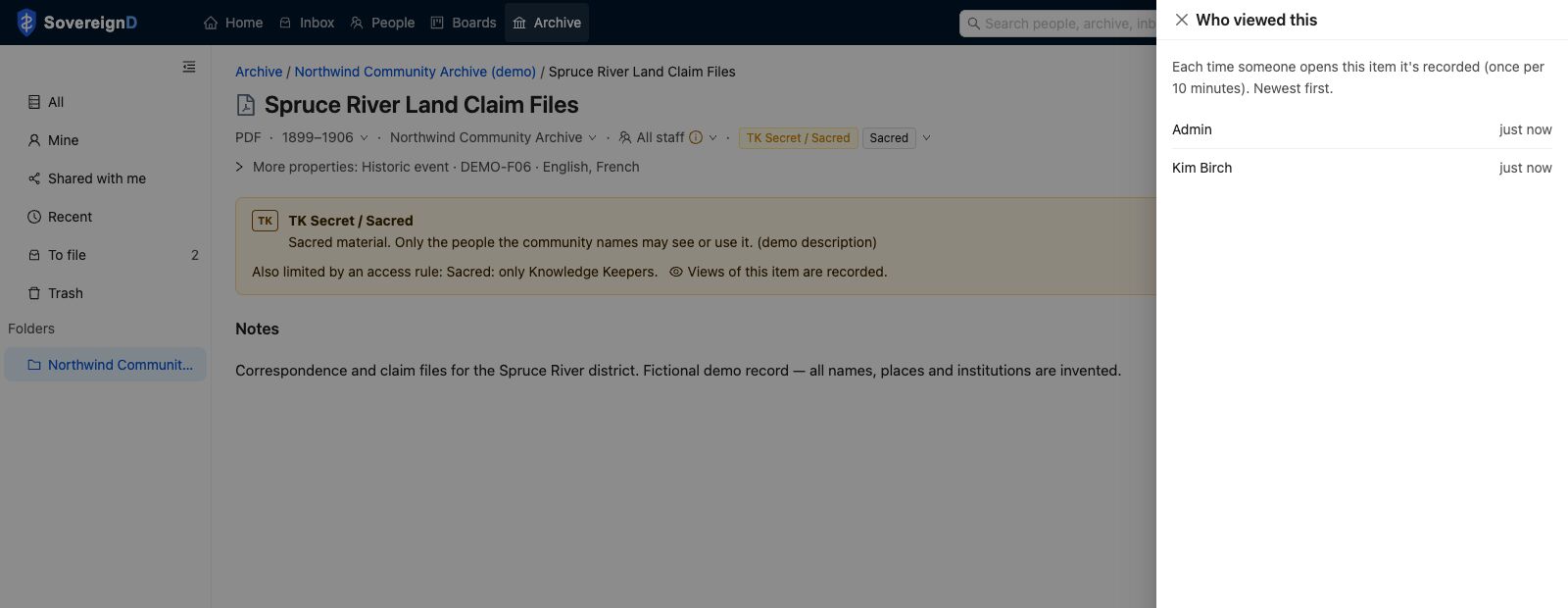
- TK labels on an item, like "TK Secret / Sacred", with the community's own words about how it may be used.
- Sacred rules, like "only Knowledge Keepers". Other people don't see the item in search, on the map, or in exports.
- Seasonal rules, for stories that are only told at certain times of year.
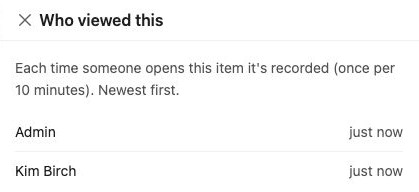
- Views are recorded. For sensitive items, you can see who opened it and when.
Who can see this
Every item says who can see it: only me, a group, all staff, members, or the public.
Email in, filed
Forward an email to the archive. The attachments are saved and searchable.
Open Word files in the browser
Edit documents without downloading them. Each save keeps the old version.
Questions about the archive
Can you move our old files in?
Yes. Spreadsheets and files from a shared drive can be moved in as part of setup. Paper and tapes need to be scanned first. We can talk through how.
Does search work with Cree, Michif and other languages?
Search finds the words you type, as long as they're spelled the same way in the file. Transcripts made by a computer get our languages wrong, so a person should check them.